

The Developer’s Blueprint to Version 26: Enterprise Resiliency, Native PDF APIs, and Modern DevOps Tooling
 Claris has officially released FileMaker 2026. In doing so, they have also aligned their marketing names with the actual internal version numbers. While FileMaker 2025 was internally version 22, FileMaker 2026 jumps straight to internal version 26. Along with this is also a Claris logo and marketing branding update that helps better align it with their parent company Apple.
Earlier this year, Claris CEO Ryan McCann laid out a vision focusing on AI-assisted, “agentic” development—using tools like Claude Code and Cursor to automatically generate native FileMaker schema, scripts, and layouts.
Those agentic AI coding capabilities are not in this first 26 release. They are slated for developer previews later this summer. What version 26 does deliver is enterprise-grade infrastructure, resiliency, and platform-wide performance enhancements required to make that future AI integration possible.
At LuminFire, we consider this an impactful release that moves the platform forward. Here is our developer-focused breakdown of what matters, how it changes the way you build, and the operational gotchas to note.
1. Platform and OS Support: The Compatibility Envelope Tightens
Claris is pushing the platform forward by shedding legacy environments. You will want to audit your users’ hardware and operating systems before staging an upgrade.
| Product | Supported Operating Systems | Dropped Support |
| FileMaker Pro 26.0.1 | macOS 15 (Sequoia) or later, Windows 11 | Windows 10, macOS Ventura, macOS Sonoma |
| FileMaker Server 26.0.1 | Windows Server 2022/2025, macOS 15+, Ubuntu 22/24 LTS | Windows Server 2019, macOS 14 |
| FileMaker Go 26.0.1 | iOS/iPadOS 18 or later | Older iOS/iPadOS versions |
FileMaker 26 clients cannot connect to hosts running FileMaker Server 2024 (v21) or earlier. You must upgrade your servers first. Additionally, this is widely expected to be the final release supporting Intel-based Mac hardware. If you have Intel Macs in production, plan your hardware refresh now.
2. Infrastructure Blocks: Server & WebDirect Resiliency
Claris has heavily targeted FileMaker Server’s enterprise readiness. Version 26.0.1 introduces significant scalability and continuity architectures.
Business Continuity: Standby Server
Administrators can now pair a primary server with a dedicated standby server running in lockstep via continuous log shipping. Secured over SSH, the standby copy can be activated with a single click in the Admin Console if the primary machine goes offline.
This is a manual switchover mechanism, not an instantaneous automated failover. However, for physical hardware, VMs, or Docker setups, it provides a massive leap forward in disaster recovery.
Disaster Recovery: Native Remote Backups
Moving backups off-box traditionally required custom scripts and setup. Now, remote cloud backup is a native feature built right into the platform using AWS infrastructure.
Backups can automatically replicate to a secure Claris-managed cloud destination every 20 minutes. You can pick your geographic storage region, and recovery can be triggered directly via the Admin Console. Note that this service is an optional add-on licensed separately.
Scalability: Multiple Script Engine (SASE) Processes
Historically, Perform Script on Server (PSoS), schedules, and the OData API shared a single backend scripting process (fmsase). A single runaway script or heavy OData pull could freeze the entire queue. You can now configure multiple SASE processes to run concurrently, distributing workloads across CPU cores for true parallelism.
Reliability: Automatic Service Recovery
FileMaker Server is modular. Under heavy load, independent components occasionally fall over. FMS 26.0.1 now features self-healing code that monitors and automatically restarts the Web Publishing Engine (fmscwpc), Data API (fmwipd), and OData (fmodata) if they quit unexpectedly.
WebDirect Maturity
WebDirect drops its rough edges in 26.0.1, making it feel considerably more like a native app:
- Goodbye, Annoyance: The “Action in Progress” dialog has been completely removed when resizing your browser window.
- Accessibility (WCAG/Section 508): Introduces robust ARIA-compliant keyboard controls and active element highlighting.
- Under-the-Hood Polish: Upgraded to JDK 21, features localized client-side paste tracking, handles SameSite cookie attributes correctly, adds IPv6 support, and fixes the 1-second tab navigation delay on popover buttons.
3. The AI Platform Architecture
Instead of treating artificial intelligence like a plug-in demo, 26.0.1 treats AI as a foundational platform layer.
- Claris AI Model Server Upgrades: Upgraded to Python 3.12, with model dependencies manageable from the Admin Console. Ubuntu setups with NVIDIA hardware now leverage the high-performance vLLM inference engine. Apple Silicon Macs now run models entirely natively—including OpenAI’s open-source gpt-oss model.
- Admin UX: Features a built-in Chat interface to interact directly with loaded models right inside the console, and displays real-time VRAM allocation. API key authentication is also now enforced by default on fresh installs.
- RAG (Retrieval-Augmented Generation) Enhancements: RAG embedding caches can now sync across multiple server instances. The platform adds support for JSONL data inputs, dynamic similarity thresholds, and customized per-request chunk sizes.
- Google Gemini Integration: Joining the roster of commercial providers, Gemini brings text generation and embeddings native to FileMaker. Crucially, Gemini allows developers to pass container-field images directly into prompts for deep visual analysis workflows.
- Schema Metadata as Context: New functions like BaseTableComment() and FieldAnnotation() pull structural data down at runtime. Combined with advanced field options, you can precisely control what Data Definition Language (DDL) is exposed to an LLM, helping the model understand your system’s design rather than guessing based on field names alone. This feature can now be used to localize field labels by storing multiple languages translations in the extensible field schema.
- The CURLOPT_TIMEOUT Safe Word: Text generation steps now accept a timeout parameter in seconds. If an open-source model server stalls, your script won’t hang indefinitely.
4. Developer Quality of Life & Tooling Wins
For developers building apps day in and day out, this release introduces structural enhancements that make many functions easier.
Native PDF Management API
Say goodbye to calling out to complex plugins or command-line utilities just to combine documents. 26.0.1 adds a fully native script step API for complete PDF composition: Create PDF -> Open PDF -> Append PDF -> Close PDF / Print PDF
You can generate a cover page, append a layout-rendered report, attach an external PDF from a container field, and spit out a clean, finished file. Pushing this to server-side scripts is fully supported.
The underlying PDF-Writer engine was updated to version 4.8.1 across Pro and Server. You must regression-test your layouts for font styling, glyphs, and page breaks.
Calculation-Driven Field Entry
The “Allow entry into field” layout option is now fully driven by calculations. You can return standard editing states dynamically based on privilege sets, record status, or business rules.
Returning a “read-only but selectable” state allows users to copy text, select strings, and scroll within a field without editing it, eliminating old workarounds. However, true “view-only” states still omit a field scrollbar, so ensure layout spacing accommodates overflowing text.
Server-Side Export Field Contents
At long last, Export Field Contents is supported natively in scripts run by FileMaker Server, PSoS, the Data API, and OData. Document-processing and file-export automations just got substantially simpler.
Calculated Custom Dialogs
The Show Custom Dialog script step can now position, coordinate, and size dialog boxes dynamically using calculations. Your user interfaces can now scale cleanly relative to screen size or workflow demands.
Advanced Scriptable Zoom
Layout zoom levels are no longer constrained to fixed jumps. You can pass arbitrary decimal percentages via scripts, giving you exact layout scalability for specialized kiosk, iPad, or high-density display deployments.
Draco Catalog (Persistent Data Store)
This is an incredibly massive architectural change disguised as a minor feature. The persistent data store allows you to save named configuration data straight into the file’s schema via scripts. You can read it globally from any context via GetPersistentData() without needing globals, relationship chains, or utility tables.
- Why it matters: It is the ultimate native home for app version tracking, JavaScript add-on code, or API endpoint targets. It survives server restarts and Data Migration Tool runs.
- The Warning: It writes to disk and syncs across clients, meaning it is significantly slower than in-memory local variables. Do not use it inside tight loops. Also, because it lives in the schema, it will show up plainly in XML exports—never store passwords, OAuth secrets, or raw API keys here.
Workspace & Inspector Upgrades
- Custom Function Management: Sorting options have returned! You can now sort functions inside your folders by name, creation date, or manual order throughout the entire folder tree.
- Collapsible Workspaces: You can now collapse long comment blocks and disabled script steps in the Script Workspace, bringing its navigability closer to modern code IDEs.
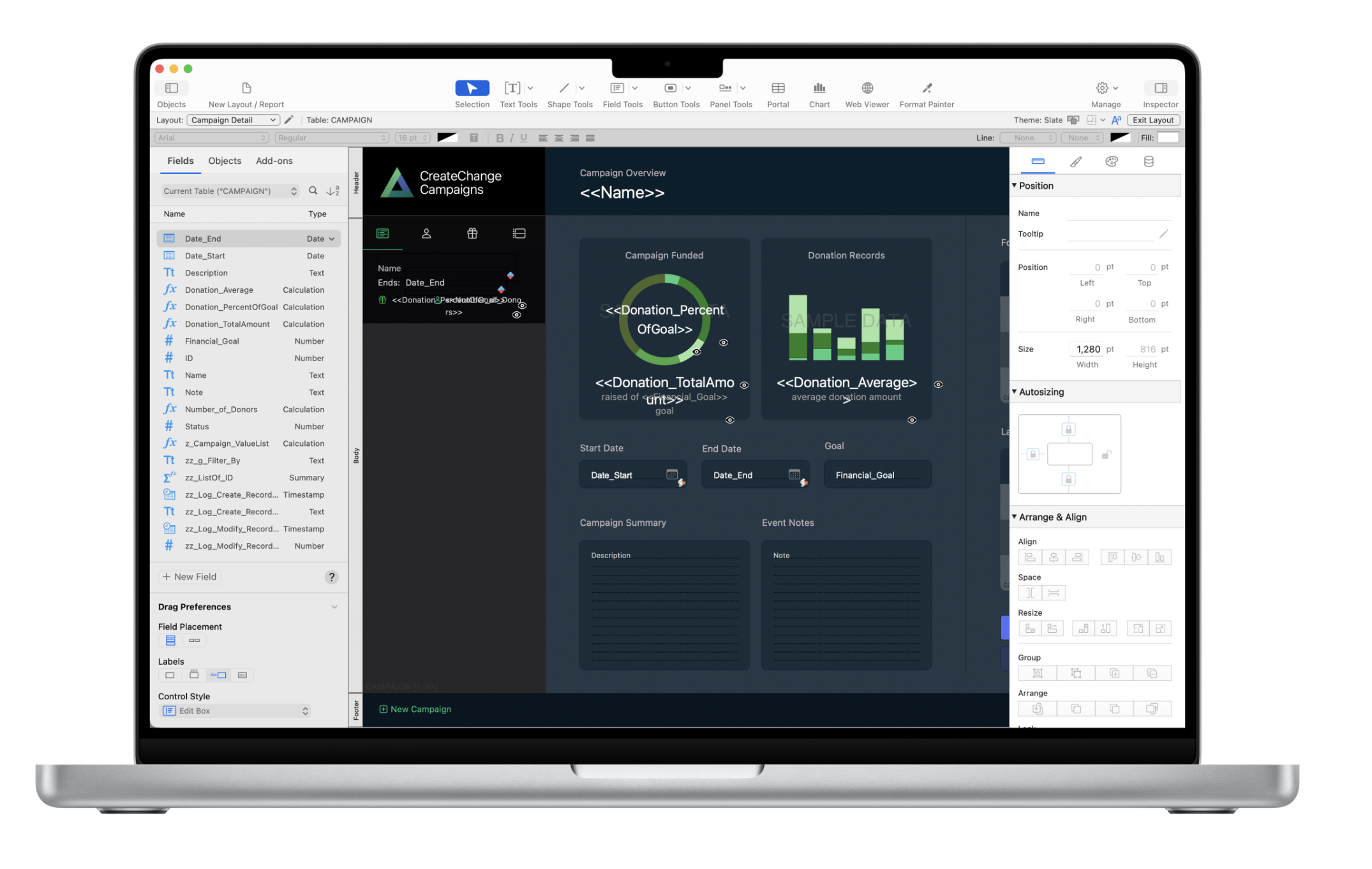
- Redesigned macOS Inspector: Streamlined down to two highly visible tabs (Appearance and Data). It contextually hides controls that aren’t relevant to your current selection, reducing screen clutter. (You can toggle back to the classic layout if your muscle memory objects).
- Smart Record ID Retrieval: GetRecordIDsFromFoundSet() picks up an optional parameter to target portals or table occurrences, instantly capturing the primary keys of related, filtered portal rows.
- Window UUIDs: Windows are now trackable via Get(WindowUUID). Standard window steps accept these unique IDs, eliminating errors caused by matching names or name mutations.
- Automatic JSON Caching: When using Insert from URL to pull an application/json MIME type into a variable, FileMaker automatically parses and caches the JSON background structure. Subsequent JSON reads on that variable become blindingly fast.
- Granular Security Gates: Accessing the Data Viewer can now be isolated from full access, tied directly to the Manage databases/data sources/containers/custom functions privilege array. Managing Custom Functions can similarly be locked down strictly to Full Access accounts.
5. Power-User Command-Line Tooling (CLI)
For systems utilizing automated DevOps pipelines, Git version tracking, or infrastructure-as-code deployments, the command-line additions in 26.0.1 are a milestone change.
- Save a Copy as XML Evolution: You can now isolate and export specific database catalogs (out of 20 available), split outputs into distinct files per catalog, and dictate how binary layout data is stored. Handled via the –saveAsXML command inside FMDeveloperTool, this makes tracking FileMaker database modifications in Git highly practical.
- Bidirectional Workflows via FMUpgradeTool: The tool gains a landmark –generateDBFile command, allowing you to literally rebuild a functional .fmp12 file directly out of a Save-as-XML output file. While there are initial version limitations to track, the door for automated, programmatic solution refactoring is now wide open.
- Administrative CLI Controls: FMDeveloperTool picks up a –changeAccountPassword flag, allowing automated administrative CLI credential resets without requiring knowledge of the previous password. Furthermore, its –sortBySize command now cleanly pairs with Table IDs inside TopCallStats.log, accelerating bottleneck investigations.
Official Release Notes
For the full, exhaustive lists of underlying bug fixes and exact engineering changes, please review the official documentation provided by Claris:
- FileMaker Pro 26.0.1 Release Notes
- FileMaker Server 26.0.1 Release Notes
- FileMaker Go 26.0.1 Release Notes
Our First Impression
FileMaker 2026 is not a simple maintenance patch. It is a comprehensive hardening of the platform’s core code. By removing long-standing developer limitations, introducing true server log shipping, natively processing multi-threaded engine requests, and treating AI metadata contextually, Claris has created a stable runway for the future. We’re looking forward to testing these new capabilities out in real-world production environments and seeing how they transform deployment speeds and system resiliency.
Plan Your FileMaker 2026 Transition
If you want to architect a seamless server upgrade strategy, verify your system’s hardware lifecycle compliance, or start integrating changes into your solution, the team at LuminFire is ready to help you optimize what comes next.

Tim Cimbura – CEO, CFO and Solution Engineer
Tim is an expert in creating custom business solutions that make businesses more effective, productive, and profitable. He specializes in rapid application development with Claris FileMaker, Laravel, and WordPress. He also knows Apple macOS technology inside and out.